
How to Fix Dark Real Estate Photos: Free Photo Editor + Pro Tips
Learn professional techniques to brighten dark listing photos, fix exposure issues, and optimize images for Zillow, MLS, and Realtor.com with our free photo editor tool.
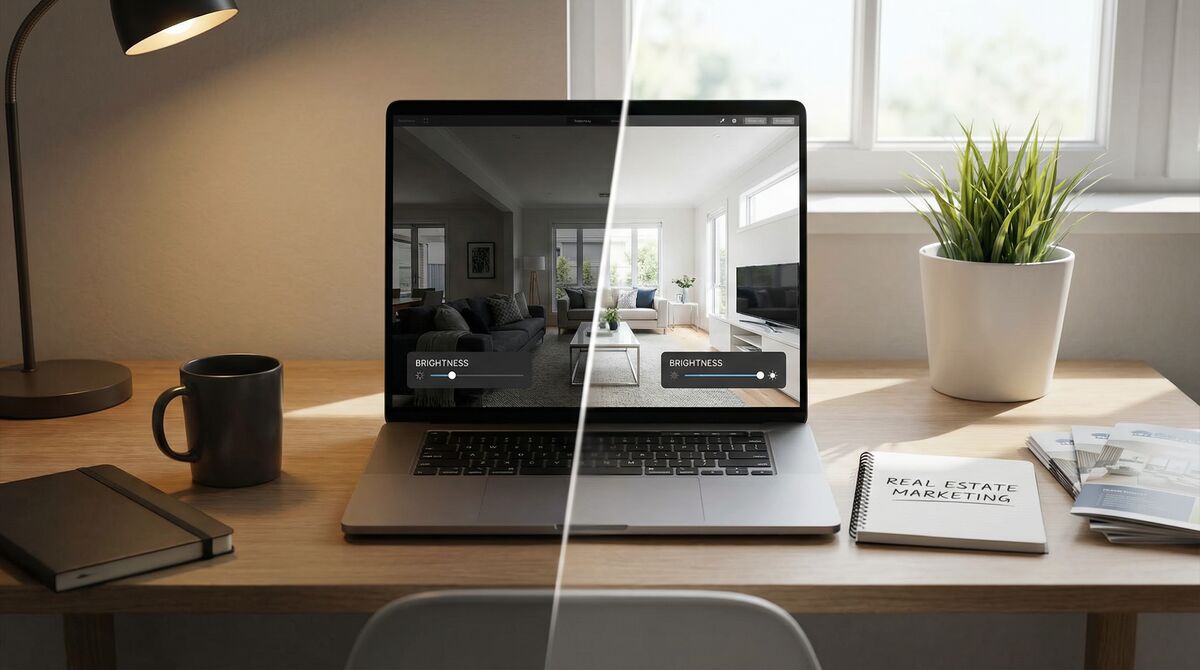
Why Dark Photos Kill Your Listings
In real estate, first impressions happen online. According to the National Association of Realtors, 97% of home buyers start their search on the internet, and they spend an average of just 20 seconds looking at each listing before deciding to click or scroll past.
Dark, underexposed photos are the silent killer of real estate listings. They make rooms look smaller, hide architectural details, and create an unwelcoming atmosphere that turns buyers away before they ever schedule a showing.
The good news? You don't need expensive software or professional editing skills to fix dark photos. With the right techniques and tools, you can transform dim, uninviting images into bright, appealing photos that attract more buyers.
Common Causes of Dark Real Estate Photos
Before we dive into solutions, let's understand why real estate photos often turn out dark:
1. Shooting Against Windows
When you photograph a room with windows in the frame, your camera's automatic exposure often compensates for the bright outdoor light, leaving the interior underexposed.
2. Insufficient Lighting
Many homes simply don't have enough ambient light, especially in basements, interior rooms, or on cloudy days.
3. Camera Settings
Smartphone cameras and basic DSLRs often struggle with high-contrast indoor scenes, resulting in dark shadows and blown-out highlights.
4. Time of Day
Shooting during early morning or late evening can result in insufficient natural light, while midday sun can create harsh shadows.
Professional Techniques to Fix Dark Photos
1. Adjust Brightness and Exposure
The most straightforward fix for dark photos is increasing brightness. However, simply cranking up the brightness slider can wash out your image and lose detail.
Pro tip: Increase brightness gradually (10-20% at a time) and balance it with slight contrast adjustments to maintain depth and dimension.
2. Fine-Tune Contrast
Contrast controls the difference between the lightest and darkest parts of your image. After brightening a dark photo, you'll often need to add contrast back to prevent the image from looking flat.
The sweet spot: A 5-15% contrast increase typically works well for brightened real estate photos.
3. Boost Saturation Carefully
Dark photos often appear desaturated. A subtle saturation boost (10-20%) can bring colors back to life without making the image look artificial.
Warning: Over-saturated photos look unprofessional and can misrepresent the property. Less is more.
4. Adjust White Balance (Warmth)
Many interior photos have a yellow or blue color cast from artificial lighting. Adjusting the warmth/temperature can correct these issues:
- Too yellow (tungsten lighting): Decrease warmth/add blue
- Too blue (fluorescent or overcast): Increase warmth/add yellow
5. Use Auto-Enhance Wisely
Modern photo editors include AI-powered auto-enhance features that analyze your image and apply balanced corrections. These work well for quick fixes but may need manual fine-tuning for best results.
Platform-Specific Image Requirements
Different real estate platforms have different image requirements. Using the wrong size can result in rejected uploads, stretched images, or poor quality.
| Platform | Recommended Size | Aspect Ratio | Notes |
|---|---|---|---|
| Zillow/Trulia | 1024×768 | 4:3 | Also works well for social media |
| MLS Systems | 2048×1536 | 4:3 | Higher resolution for print materials |
| Realtor.com | 2048×1536 | 4:3 | Same as MLS requirements |
| Redfin | 1600×1200 | 4:3 | Balanced quality and file size |
Pro tip: Always export at the highest quality your platform accepts. You can't add detail back to a compressed image.
Before and After: The Power of Photo Enhancement
The difference between a dark, unedited photo and a properly enhanced one can be dramatic. Consider these real-world impacts:
- Listings with bright photos receive 118% more views than those with dark images
- Homes with professional-quality photos sell for $3,000-11,000 more on average
- Properties with enhanced photos sell 32% faster than those with amateur photography
Try Our Free Photo Editor
We built the Free Real Estate Photo Editor specifically for real estate professionals who need quick, professional results without the learning curve of complex software.
Features include:
- One-click auto-enhance for instant improvements
- Brightness, contrast, saturation, and warmth sliders for fine-tuning
- Platform-specific export optimized for Zillow, MLS, Redfin, and more
- No signup required – completely free to use
When to Consider Virtual Staging
Once your photos are properly lit and enhanced, you might consider taking them to the next level with virtual staging. Empty rooms, even well-lit ones, can feel cold and uninviting.
Virtual staging transforms empty spaces into beautifully furnished rooms, helping buyers visualize the potential. Studies show that staged homes sell 73% faster and for 6-25% more than non-staged homes.
Quick Reference: Photo Enhancement Checklist
Before uploading any listing photo, ensure:
1. ✅ Brightness is sufficient – no dark corners or shadows hiding details
2. ✅ Contrast is balanced – image has depth without being harsh
3. ✅ Colors are natural – no yellow/blue casts or over-saturation
4. ✅ Image is sharp – no blur or noise from over-processing
5. ✅ Size is optimized – correct dimensions for your target platform
6. ✅ File size is appropriate – compressed enough to load quickly, but not so much that quality suffers
Conclusion
Dark photos don't have to doom your listings. With the right techniques and tools, you can transform underexposed images into bright, inviting photos that attract more buyers and sell properties faster.
Start with our Free Real Estate Photo Editor to brighten your listing photos in seconds. And when you're ready to take your listings to the next level, try SmartStage.AI virtual staging to transform empty rooms into stunning, furnished spaces.
Ready to Transform Your Listings?
Start your free trial with 5 credits and see the difference AI virtual staging can make for your business.
SmartStage Team
The SmartStage.AI team is dedicated to helping real estate professionals transform their listings with AI-powered virtual staging. We share insights, tips, and best practices to help you succeed.
View all articles